Designing and Governing a Multi-Site Content Ecosystem: Riverside Group (Main, Scotland & Corporate Sites)

(In progress – internal UAT and phased launch)

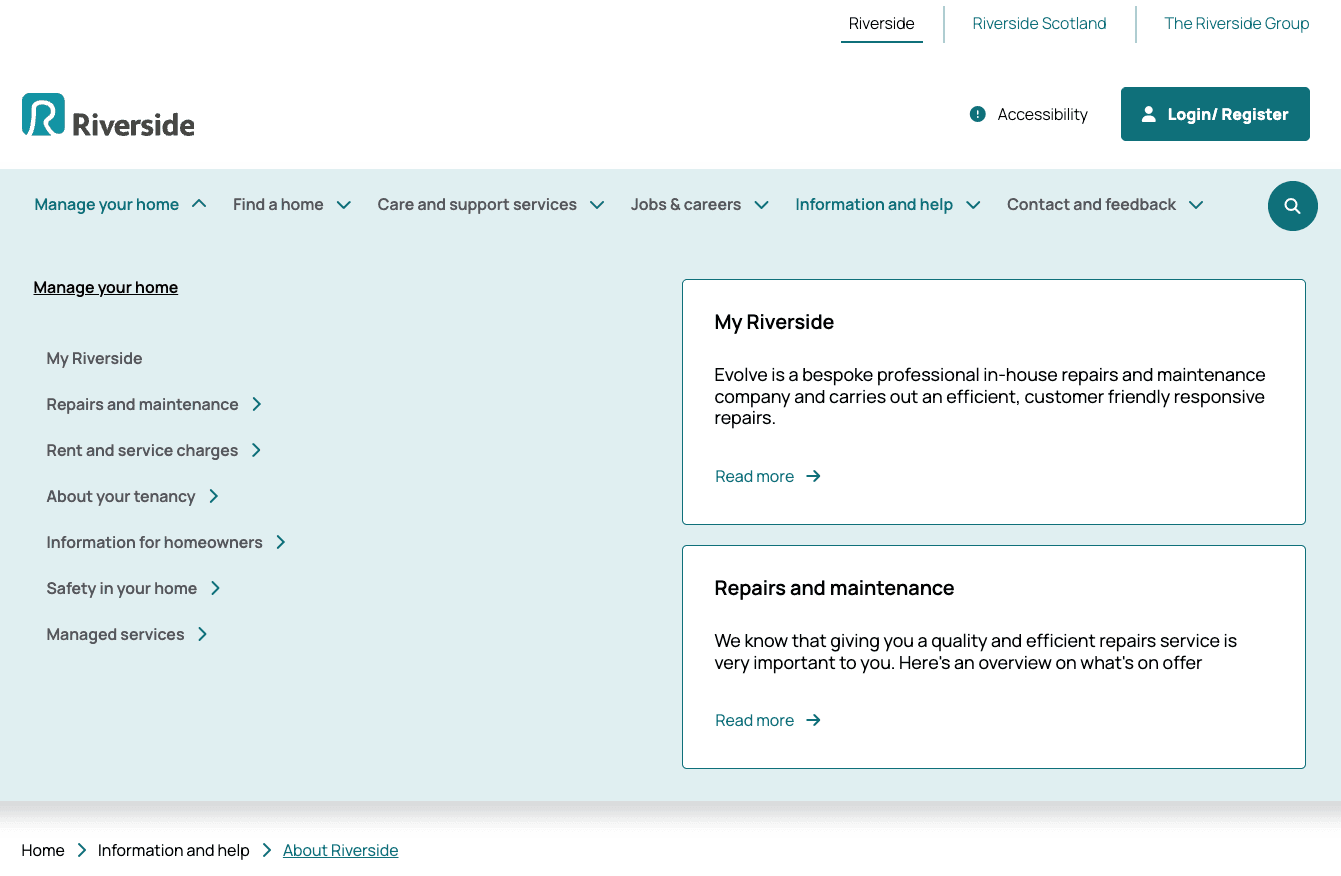
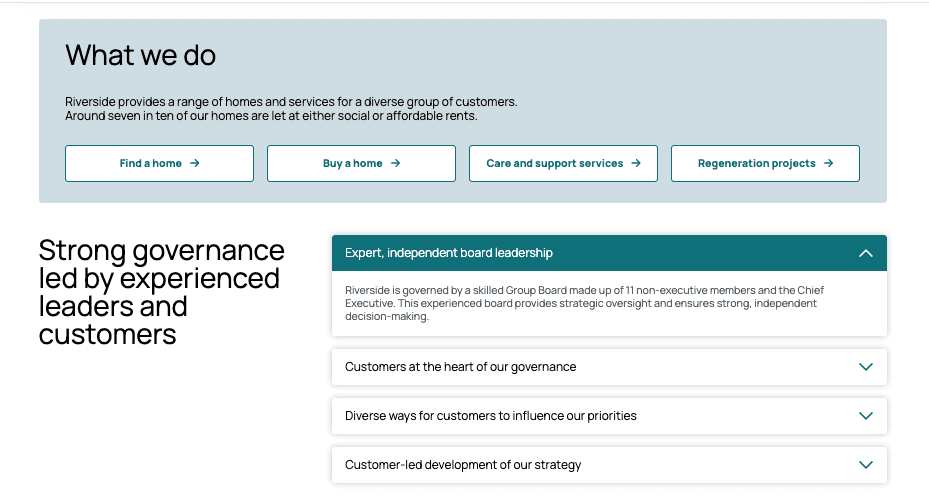
Riverside’s digital presence spans multiple audiences and regions, including the main customer site, a Scotland-specific site, and a corporate platform. I led the content design, conducted a full audit of the existing ecosystem, finalised the new information architecture, and designed the content migration and governance model to support long-term scalability.

The challenge wasn’t just restructuring pages, it was aligning three digital properties under a coherent content strategy while serving very different user needs.

Overview: Writing words that work for everyone

Alongside the structural content design work on Riverside's multi-site ecosystem, I took ownership of UX writing across all three digital websites: Riverside, The Riverside Group (corporate site), Riverside Scotland. Riverside serves residents who may have lower literacy levels, use English as a second language, or access services on mobile under stress. Writing clearly was a core accessibility requirement.

Role:

UX Content Designer

  • Led full content audit across all properties

  • Identified duplication, gaps, and structural inconsistencies

  • Facilitated cross-team alignment sessions

  • Defined governance model for post-launch sustainability

Tools:

Figma, Squiz DXP, Wordpress, Jira

  • Finalised new information architecture

  • Designed migration mapping and content prioritisation

  • Preparing UAT, beta rollout, and analytics-informed iteration


Overview

Designing and Governing a Multi-Site Content Ecosystem: Riverside Group (Main, Scotland & Corporate Sites)

(In progress – internal UAT and phased launch)

Riverside’s digital presence spans multiple audiences and regions, including the main customer site, a Scotland-specific site, and a corporate platform. I led the content design, conducted a full audit of the existing ecosystem, finalised the new information architecture, and designed the content migration and governance model to support long-term scalability.

The challenge wasn’t just restructuring pages, it was aligning three digital properties under a coherent content strategy while serving very different user needs.

Role:

UX Content Designer

  • Led full content audit across all properties

  • Identified duplication, gaps, and structural inconsistencies

  • Facilitated cross-team alignment sessions

  • Defined governance model for post-launch sustainability

Role:

UX Content Designer

  • Led full content audit across all properties

  • Identified duplication, gaps, and structural inconsistencies

  • Facilitated cross-team alignment sessions

  • Defined governance model for post-launch sustainability

Tools:

Figma, Squiz DXP, Wordpress, Jira

  • Finalised new information architecture

  • Designed migration mapping and content prioritisation

  • Preparing UAT, beta rollout, and analytics-informed iteration


Tools:

Figma, Squiz DXP, Wordpress, Jira

  • Finalised new information architecture

  • Designed migration mapping and content prioritisation

  • Preparing UAT, beta rollout, and analytics-informed iteration


The challenges

Inconsistent voice

Tone varied across pages with no unified voice across the three sites.

No WCAG standard

Content wasn't evaluated against WCAG plain language requirements at any stage.

Disconnected from design

Copy written separately from components caused layout and length mismatches.

Complex language

Copy sat above a 9th grade reading level, a real barrier for many residents.

The challenges

Inconsistent voice

Tone varied across pages with no unified voice across the three sites.

Complex language

Copy sat above a 9th grade reading level, a real barrier for many residents.

No WCAG standard

Content wasn't evaluated against WCAG plain language requirements at any stage.

Disconnected from design

Copy written separately from components caused layout and length mismatches.

Inconsistent voice

Tone varied across pages with no unified voice across the three sites.

Complex language

Copy sat above a 9th grade reading level, a real barrier for many residents.

No WCAG standard

Content wasn't evaluated against WCAG plain language requirements at any stage.

Disconnected from design

Copy written separately from components caused layout and length mismatches.

The challenges

Inconsistent voice

Tone varied across pages with no unified voice across the three sites.

Complex language

Copy sat above a 9th grade reading level, a real barrier for many residents.

No WCAG standard

Content wasn't evaluated against WCAG plain language requirements at any stage.

Disconnected from design

Copy written separately from components caused layout and length mismatches.

My Contribution

This work is in internal UAT ahead of phased launch. All copy examples have been generalised. The full case study will be available after launch.

What I did

  • Built the Copilot AI reading level agent

  • Audited copy for readability and tone

  • Rewrote key journeys in plain English

  • Aligned copy with Figma components

  • Established voice & terminology guidelines

Tools & standards

  • Microsoft Copilot (custom AI agent)

  • Figma (component-aligned writing)

  • Squiz DXP & Jira

  • WCAG 3.1.5 plain language

AI Tooling

Building an AI agent to check reading level at scale

With hundreds of pages across three sites, manual review wasn't sustainable. I built a custom AI agent using Microsoft Copilot, integrated into the team's workflow to validate copy before it reached the CMS.

How the reading level agent works

The agent accepts draft copy and returns a readability assessment, flagging anything above a 9th grade reading level and suggesting plain English alternatives without losing meaning.

  1. Draft copy submitted during writing or review.

  2. Targeted 9th grade reading level per WCAG 3.1.5.

  3. Passive voice, jargon, and dense terminology flagged with rewrites suggested.

  4. Returned for human review, final decisions stay with the content designer.

  5. Approved copy mapped to the correct component in the design system.

Key takeaway

Accessible language reduces support contacts and ensures residents can use services independently.

AI Tooling

Building an AI agent to check reading level at scale

With hundreds of pages across three sites, manual review wasn't sustainable. I built a custom AI agent using Microsoft Copilot, integrated into the team's workflow to validate copy before it reached the CMS.

How the reading level agent works

The agent accepts draft copy and returns a readability assessment, flagging anything above a 9th grade reading level and suggesting plain English alternatives without losing meaning.

  1. Draft copy submitted during writing or review.

  2. Targeted 9th grade reading level per WCAG 3.1.5.

  3. Passive voice, jargon, and dense terminology flagged with rewrites suggested.

  4. Returned for human review, final decisions stay with the content designer.

  5. Approved copy mapped to the correct component in the design system.

Key takeaway

Accessible language reduces support contacts and ensures residents can use services independently.

My Contribution

This work is in internal UAT ahead of phased launch. All copy examples have been generalised. The full case study will be available after launch.

What I did

  • Built the Copilot AI reading level agent

  • Audited copy for readability and tone

  • Rewrote key journeys in plain English

  • Aligned copy with Figma components

  • Established voice & terminology guidelines

Tools & standards

  • Microsoft Copilot (custom AI agent)

  • Figma (component-aligned writing)

  • Squiz DXP & Jira

  • WCAG 3.1.5 plain language

AI Tooling

Building an AI agent to check reading level at scale

With hundreds of pages across three sites, manual review wasn't sustainable. I built a custom AI agent using Microsoft Copilot, integrated into the team's workflow to validate copy before it reached the CMS.

How the reading level agent works

The agent accepts draft copy and returns a readability assessment, flagging anything above a 9th grade reading level and suggesting plain English alternatives without losing meaning.

  1. Draft copy submitted during writing or review.

  2. Targeted 9th grade reading level per WCAG 3.1.5.

  3. Passive voice, jargon, and dense terminology flagged with rewrites suggested.

  4. Returned for human review, final decisions stay with the content designer.

  5. Approved copy mapped to the correct component in the design system.

Key takeaway

Accessible language reduces support contacts and ensures residents can use services independently.

Content Design System

Breaking content into digestible components

I worked within the component-first approach in Figma, writing copy shaped for its container from the start. Long text was broken into structured components: short headings, focused body copy, clear CTAs, each doing one job, matched directly to the design.

Component types

  • Navigation labels & page titles

  • Error messages

  • Empty states & loading copy

Writing principles

  • Plain English, 9th grade level

  • Active voice throughout

  • Task-oriented, user-first language

  • Mobile-first length considerations

UX Writing in Practice

Before & after: real copy decisions
Each revision validated through the Copilot reading level agent. Details generalised.

01 · Error message: repair request form

Before: "Your submission could not be processed due to an unexpected system error. Please attempt resubmission or contact the relevant department."

After: "Something went wrong and your request wasn't sent. Please try again, or call us if the problem continues."

Note: Passive voice at 13th grade → clear problem, concrete next step, under 20 words.

02 · Navigation label: Scotland site

Before: "Residential Property Procurement and Allocation Services"

After: "Find a home"

Note: Internal terminology → user language. Task-oriented, works at every screen size.

03 · Empty state: no search results

Before: "No properties matching your specified criteria were identified within the selected parameters."

After: "No homes found. Try changing your filters or search in a different area."

Note: Jargon removed, situation acknowledged plainly, path forward offered immediately.

Key takeaway

Every revision confirmed measurably accessible via the Copilot agent, not just clearer in feel.
Let’s connect and create something impactful together!

Let’s connect and create something impactful together!

Let’s connect and create something impactful together!

Create a free website with Framer, the website builder loved by startups, designers and agencies.